ShipLocal
You know how this goes. DeepL in one tab, App Store Connect in the other. Paste the description in, copy the translation out, find the locale in the dropdown, fill nine fields, watch the character counter, start the next language. Fifty of them. Most developers get four or five in, decide it is not worth the afternoon, and ship in English forever. ShipLocal does that whole loop for you - it reads the listing with your own App Store Connect key, translates every field with Claude or GPT, and runs ten languages at a time instead of one tab at a time, so a day of copy-and-paste comes out at about three minutes. You read every field before anything moves. Then it writes back.
Everything it does, nothing it doesn't.
Small on purpose. Each feature earned its place by solving something real.
The copy-paste loop, gone
No translation tab, no spreadsheet, no picking locales out of a web form. ShipLocal reads your listing with your own API key, translates it, and writes it back - you never leave the app, and you never paste a field into a dropdown again.
Ten languages at a time
Translations run in parallel rather than one after another, each with its own progress. That is the difference between localizing a release over an afternoon and localizing it while you read the first few results.
Three jobs, two of them free
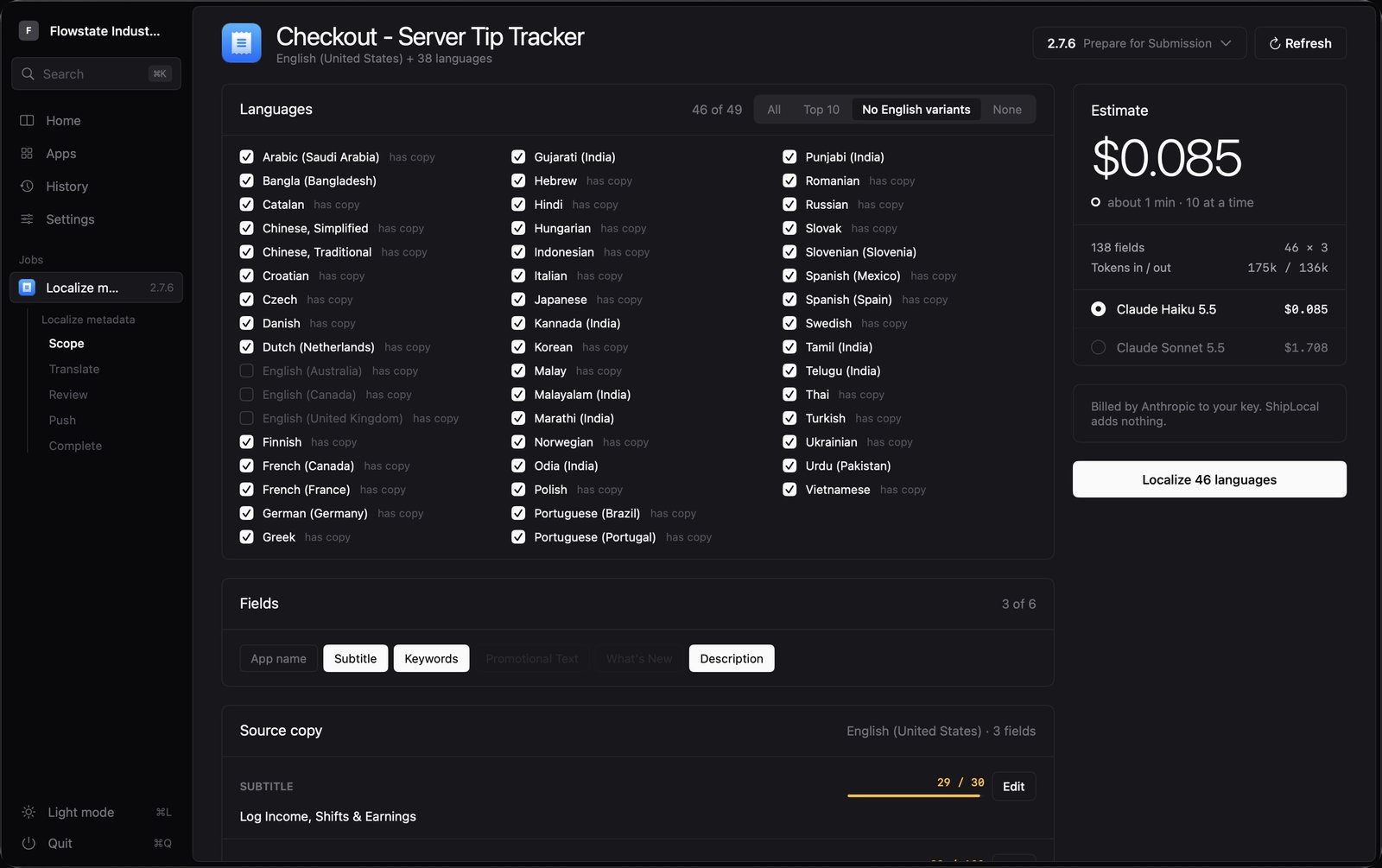
Localize translates the nine metadata fields. Copy from a version carries a released version's copy onto the one you are preparing. Set your links pushes marketing, support and privacy URLs across every language at once. Only the first one spends anything.
You read every word first
Every language comes back as a card you can read, edit and copy before anything is pushed. Nothing reaches Apple until you say so, and ShipLocal never deletes a localization - it creates what is missing and updates what is already there.
Apple's limits, handled
Thirty characters for the name, thirty for the subtitle, a hundred for keywords - and copy that fits in English rarely fits in German. ShipLocal keeps every field inside the limit, counts keywords the way App Store Connect actually counts them, and tells you what it had to change.
Your brand comes back intact
Product names and URLs are held out of the translation and put back exactly as they were, so no model quietly transliterates your company into one that does not exist or mangles a support link on the way through.
Ten languages at a time, not one tab at a time.
Doing this by hand is not difficult, it is just long: fifty languages times nine fields, each one a paste into a web form, each one needing its character count checked. ShipLocal runs ten translations at once with live progress for each, keeps going when a provider rate-limits you instead of stalling without saying why, and retries a failed language into the run that is still moving. The work that used to eat a release day is done before you have finished reading the first few results - and you do this again next release, and the one after that.
Three jobs, and the two you repeat most are free.
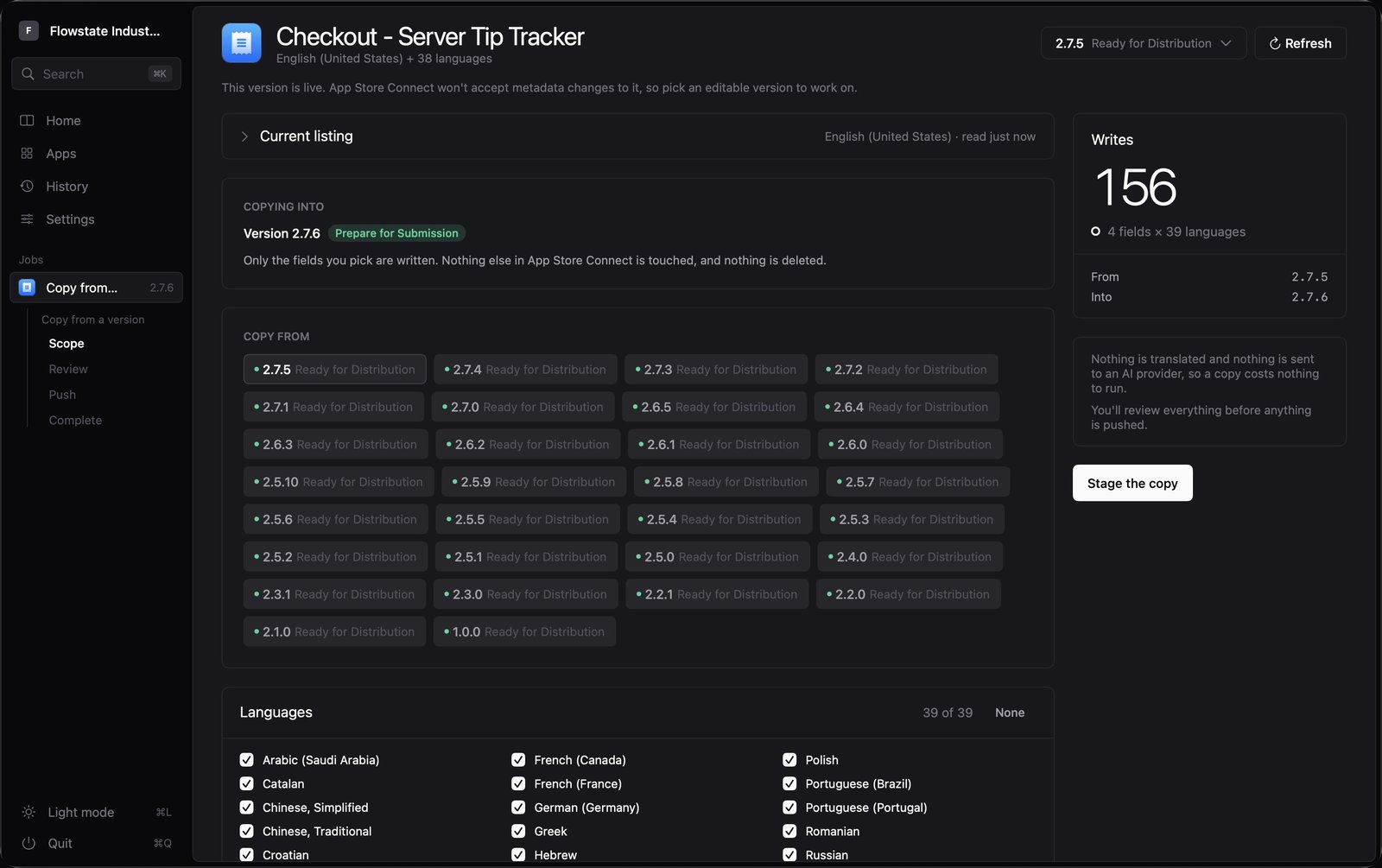
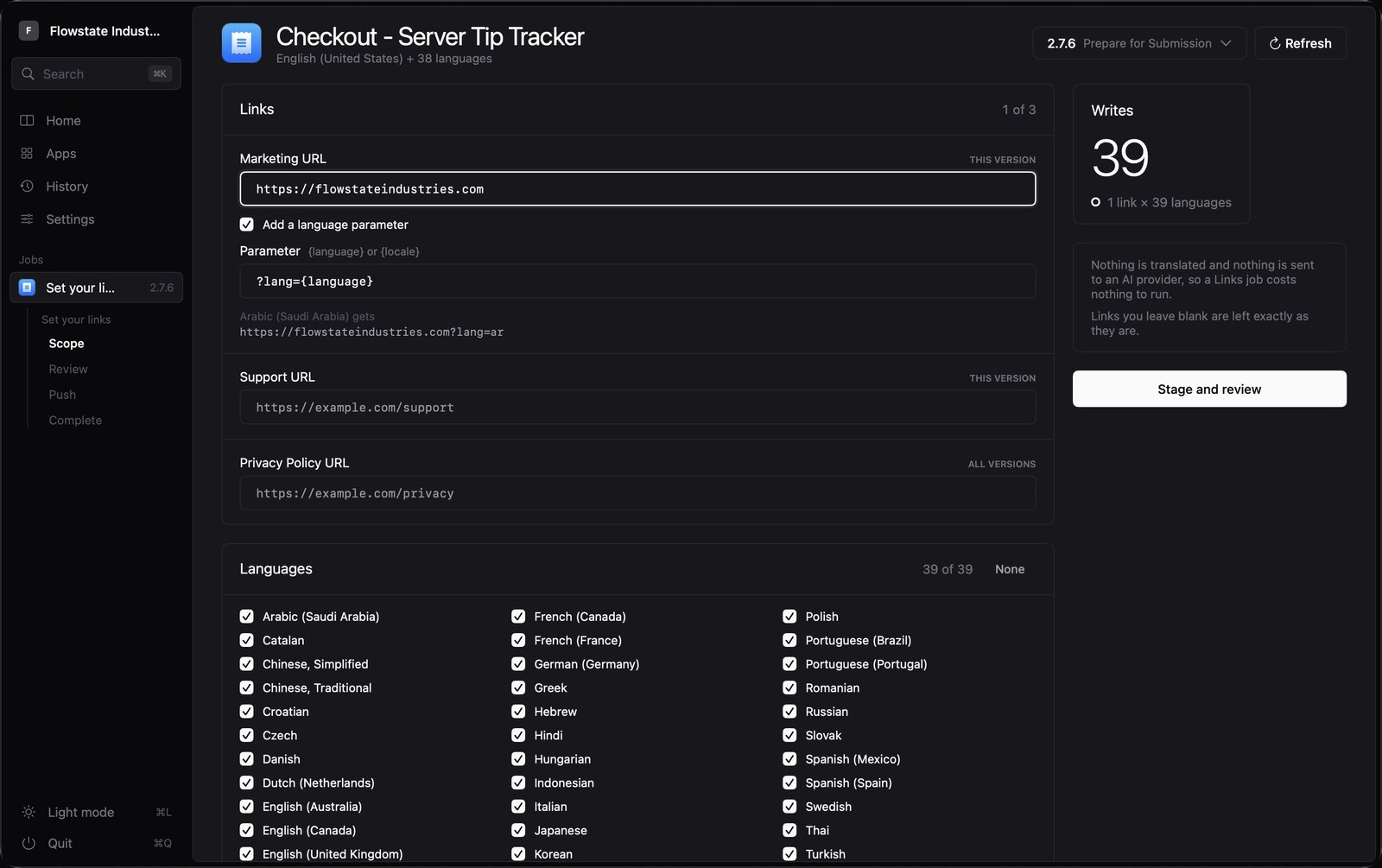
Translating metadata is the only one that costs anything. The other two are the chores that pile up: carrying a shipped version's copy onto the next one so you are not paying to re-translate what has not changed, and pushing marketing, support and privacy URLs across all fifty languages when a domain moves. All three end at the same screen - every field readable, editable, and going nowhere until you push it.
What you bring.
This one runs on accounts and keys that are yours. Worth knowing before the download rather than after it.
Free to start. Pro when you need it.
Translating, reviewing and editing are free. A subscription adds pushing the result back to App Store Connect, and running ten languages at once instead of one.
- Every app your key can see, and all 50 App Store languages
- Localize, review and edit every field
- Copy from a released version, and set your links
- One language at a time - and still all of them
- Local history of every run, with token counts and cost
- Push to App Store Connect
- Up to 10 languages at a time
- Unlimited apps and all 50 languages
- Review and edit every field
Free is not a trial and does not expire: every app your key can see, all 50 App Store languages, one language at a time. Pro adds two things - the push back to App Store Connect, and running up to 10 languages at once. There is no free trial of any kind, and no Family Sharing.
The yearly plan works out at about $8.33 a month, a 16% saving on the monthly price.
AI translation is billed separately by your provider. ShipLocal shows you the estimated cost before anything is sent, and the exact token count and cost after. The subscription does not include translation credits.
Subscriptions renew each month or each year until cancelled, depending on the plan. Payment is charged to your Apple Account at confirmation. Manage or cancel in System Settings at any time.
The things people ask.
ShipLocal is on the Mac App Store.
Localizing a listing by hand means a translation tab, an App Store Connect tab, and fifty rounds of paste, copy, paste. ShipLocal reads your listing with your own App Store Connect key, translates every field with Claude or GPT, runs ten languages at once, and writes it back once you have read it.